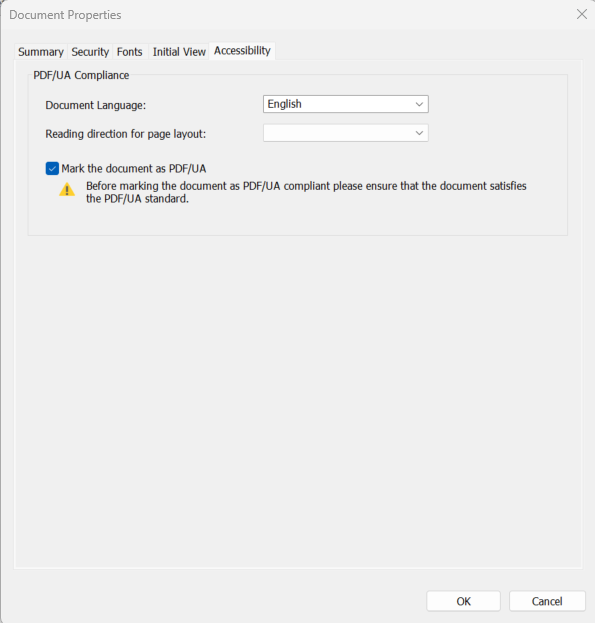
Once you have completed the task of making your PDF document accessible, run a check on the PDF/Universal Accessibility (PDF/UA) compliance using any PDF compliance validator. If your PDF document passed the check and it meets all necessary accessibility criteria, you can mark it as PDF/UA compliant.
To mark a document as PDF/UA compliant
Open your PDF document with Nitro PDF Pro
Select File > Document Properties > Accessibility
Select the Mark the document as PDF/UA compliant checkbox
Click OK
Click Save on the top bar or press Ctrl+S on your keyboard to save your changes
Last updated: June 2026
Last updated: July 30, 2026
Was this article helpful?
Thanks for your feedback. We're glad we could help.
Thank you. Your feedback will be used to make future improvements.
Thanks for your interest in Nitro!
For those requiring fewer than 20 licenses, our online store is the fastest way to access the same trusted Nitro PDF tools—optimized for simplicity, security, and speed.
Recommended plans for you:
Nitro PDF Standard
For Windows, Mac, and iOS
For individuals, small teams, and businesses seeking a full suite of PDF editing tools to boost productivity and streamline workflows.