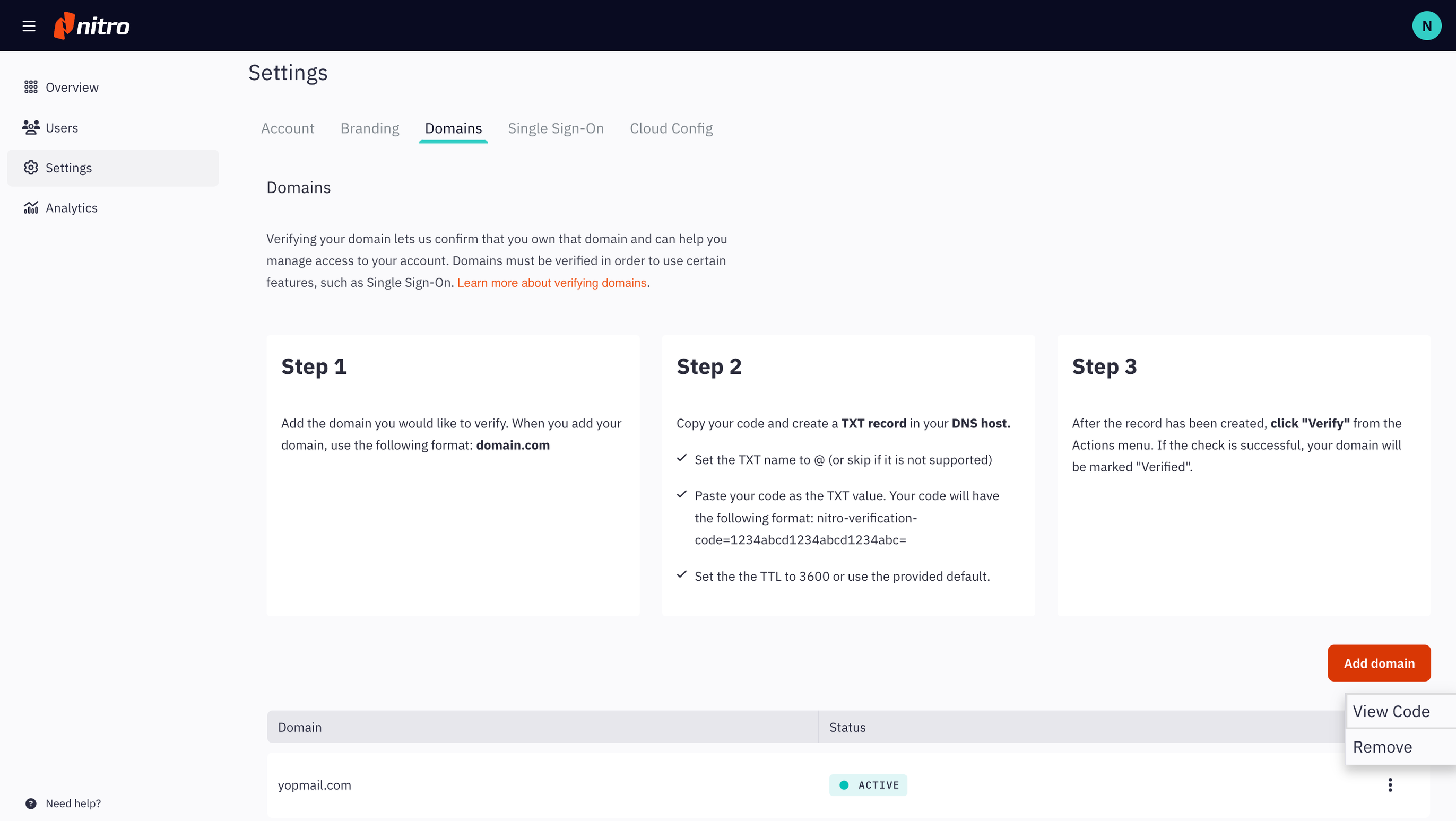
If you have multiple domains, you may remove unused domains from your account. However, your account must retain at least one domain; removing the last domain will not be allowed.
Note: If you have Single Sign-On enabled, removing a domain will disable Single Sign-On for users with an email address belonging to that domain.
Select Settings in the left navigation pane and navigate to the Domain tab
Click the More Actions (three dots) button on the domain you wish to remove and select Remove
Last updated: July 23, 2025
Was this article helpful?
Thanks for your feedback. We're glad we could help.
Thank you. Your feedback will be used to make future improvements.
Thanks for your interest in Nitro!
For those requiring fewer than 20 licenses, our online store is the fastest way to access the same trusted Nitro PDF tools—optimized for simplicity, security, and speed.
Recommended plans for you:
Nitro PDF Standard
For Windows, Mac, and iOS
For individuals, small teams, and businesses seeking a full suite of PDF editing tools to boost productivity and streamline workflows.