
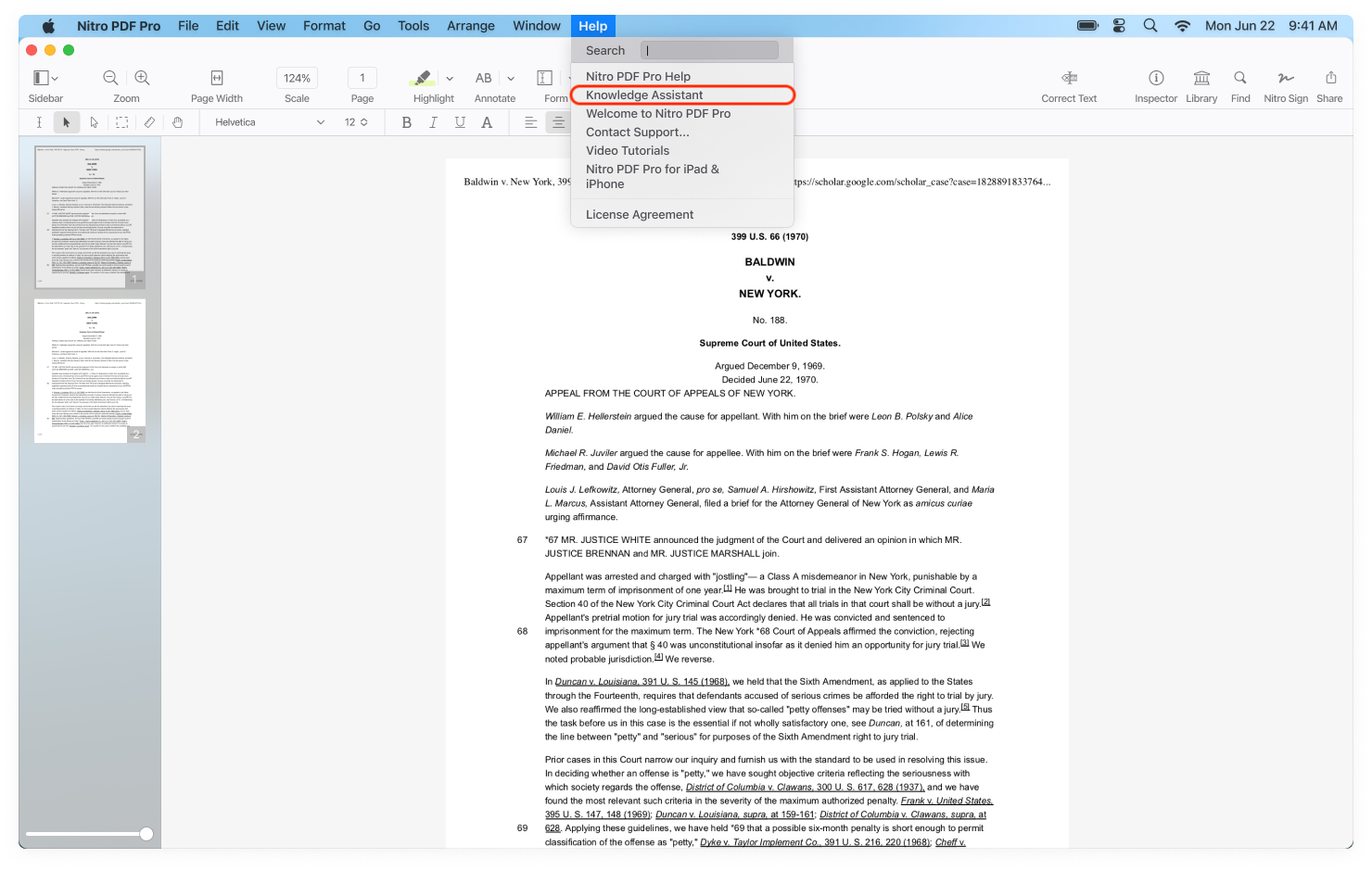
To access Knowledge Assistant:
- Launch Nitro PDF Pro for Mac.
- From the Help menu, select Knowledge Assistant.
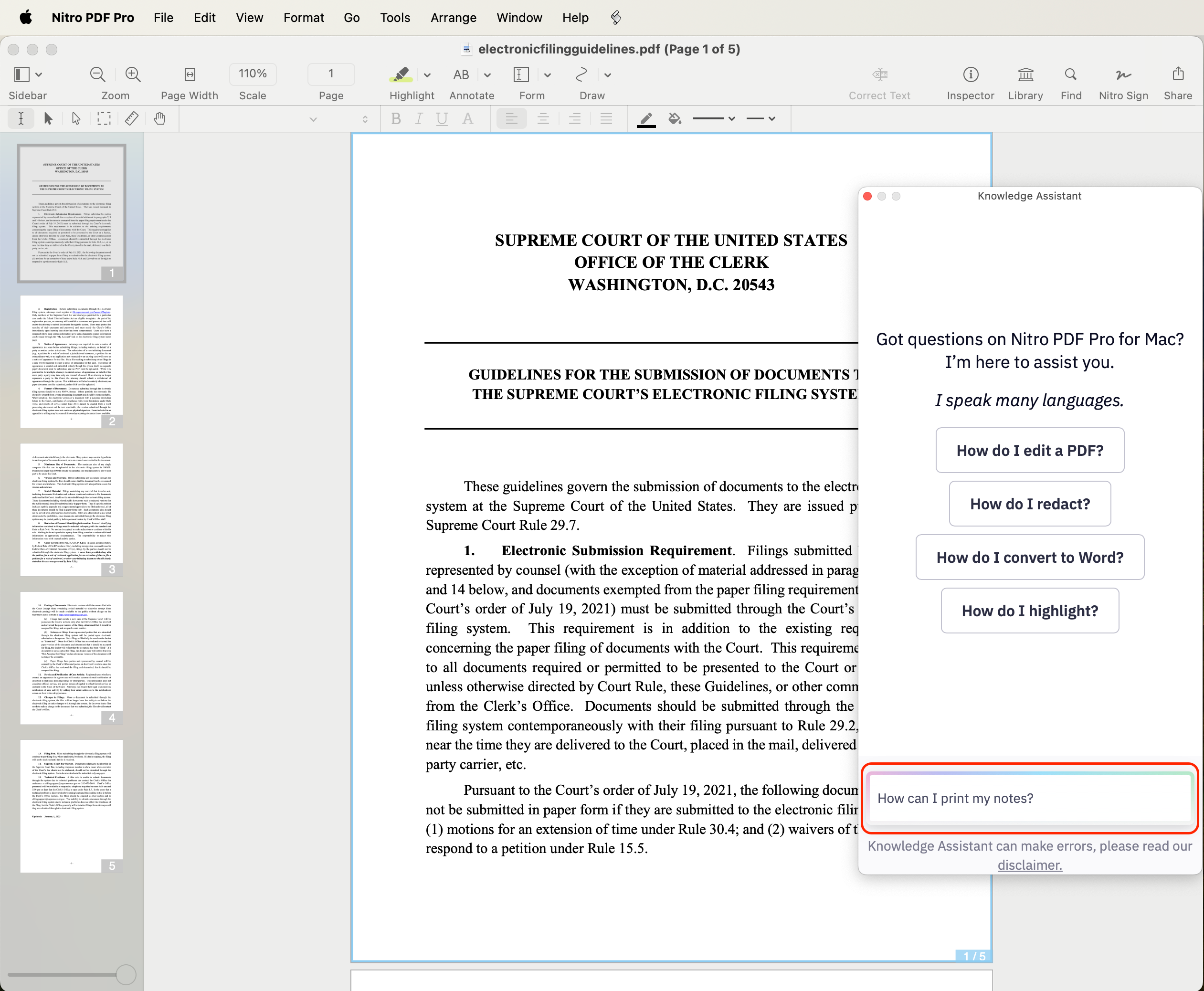
- The Knowledge Assistant chat window will open in the right-hand pane. Select from a list of frequently asked questions (FAQs) or type your question directly into the chat field and click Return/Enter. Tap send (i.e. Return/ Enter) to submit your question.
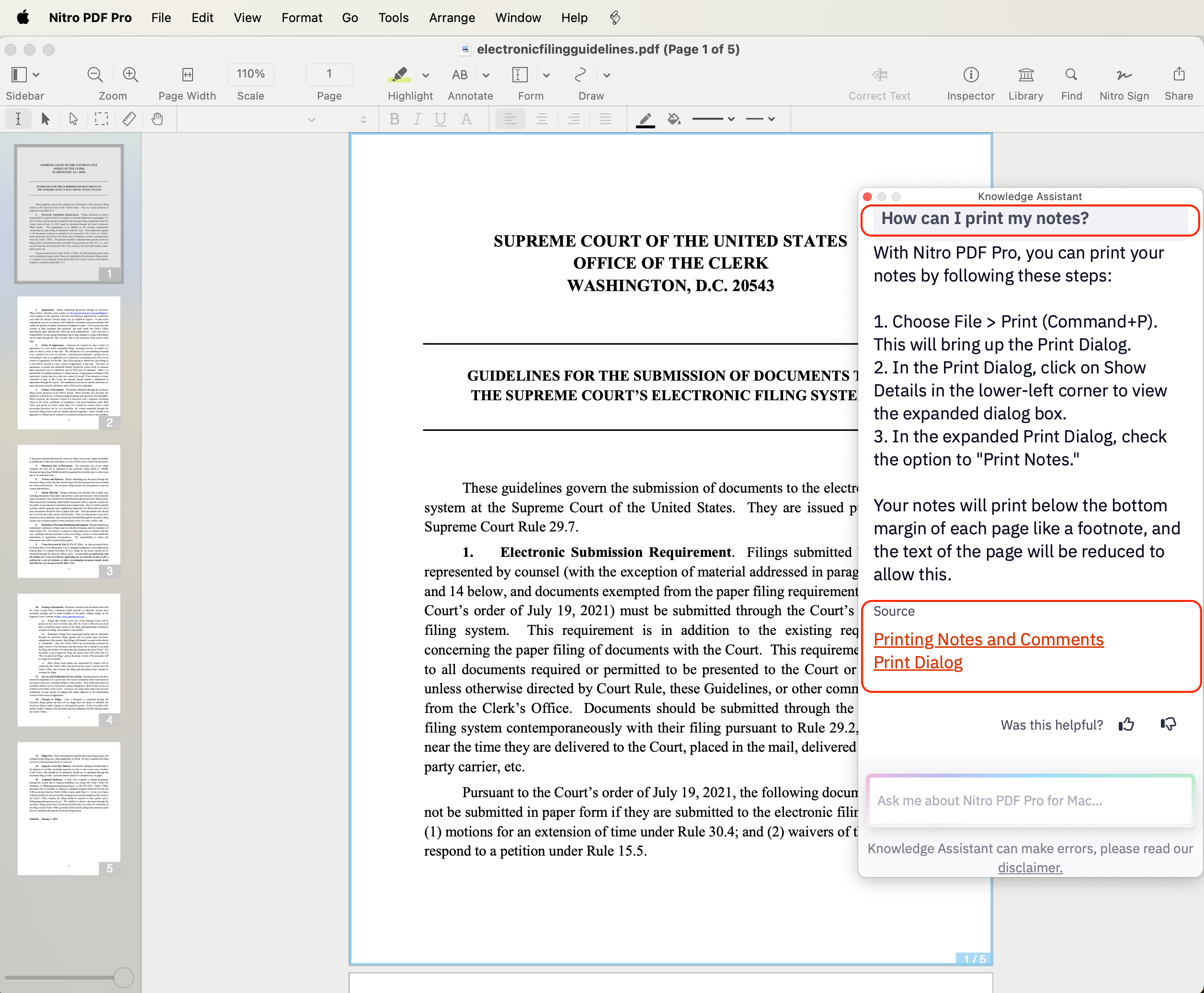
- Nitro Knowledge Assistant will search the Nitro PDF Pro for Mac User Guide and Knowledge Base to provide a swift response to the question, including links to the specific source data.
- To expand the Knowledge Assistant chat window, click on the green button located in the top left corner of the window.
- To close the Knowledge Assistant chat window, click on the red button located in the top left corner of the window. The Knowledge Assistant does not save your history.
- Nitro Knowledge Assistant provides an option to “like” or “dislike” the answer by clicking the thumbs-up or thumbs-down icon. Your feedback is invaluable as it helps us continuously improve the quality and accuracy of the tool.
- The Knowledge Assistant does not have access to customer data or any data contained in customer documents. It uses data from Nitro's Help documentation (User Guides and Knowledge Base articles) to provide answers on product features and capabilities.