
- Login to the Nitro Admin Portal
- Select Users in the left navigation pane and navigate to the Active tab
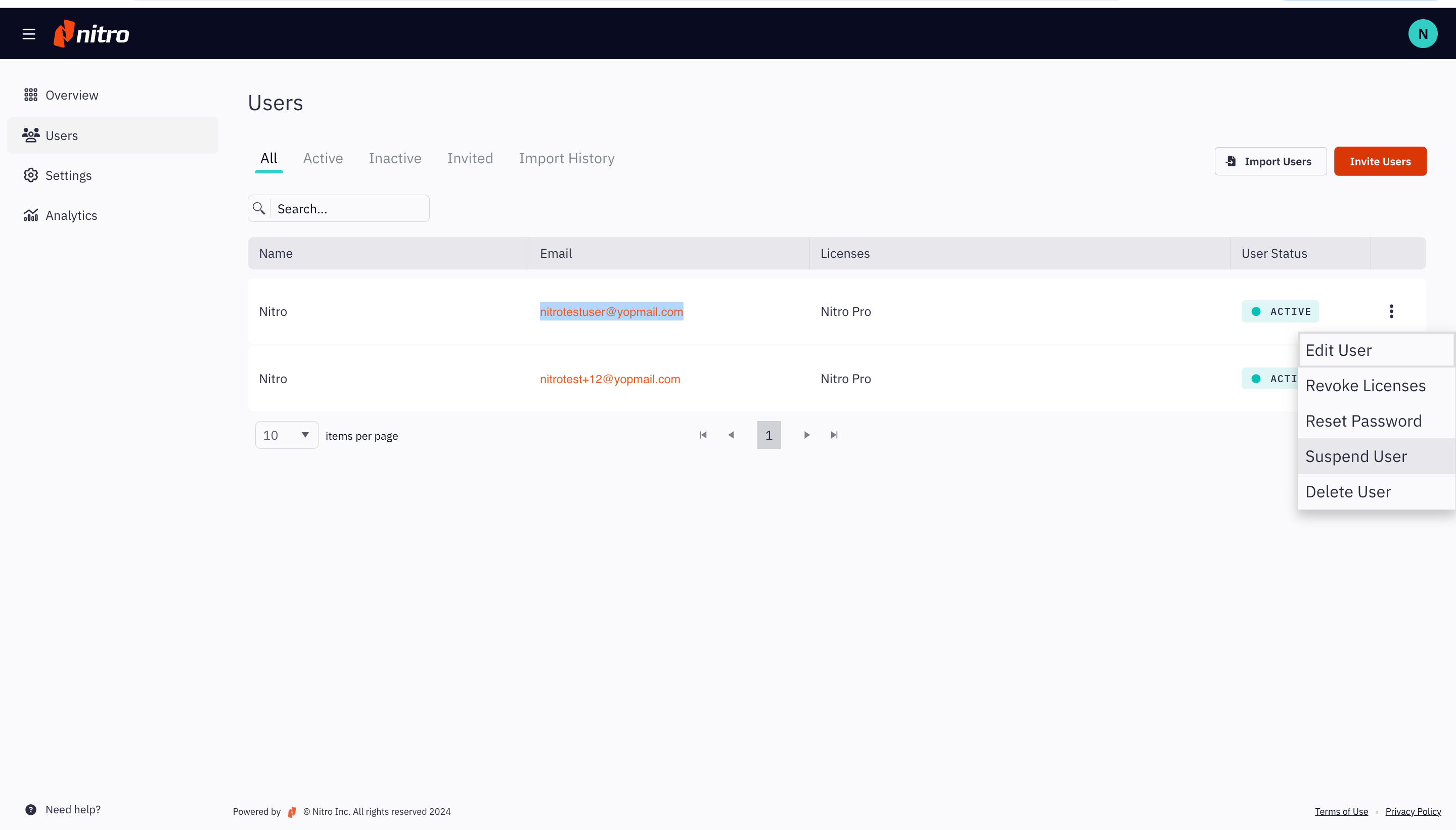
- Select the required user, click the More Options (three dots) button on the right side of the user's row, and select Edit User
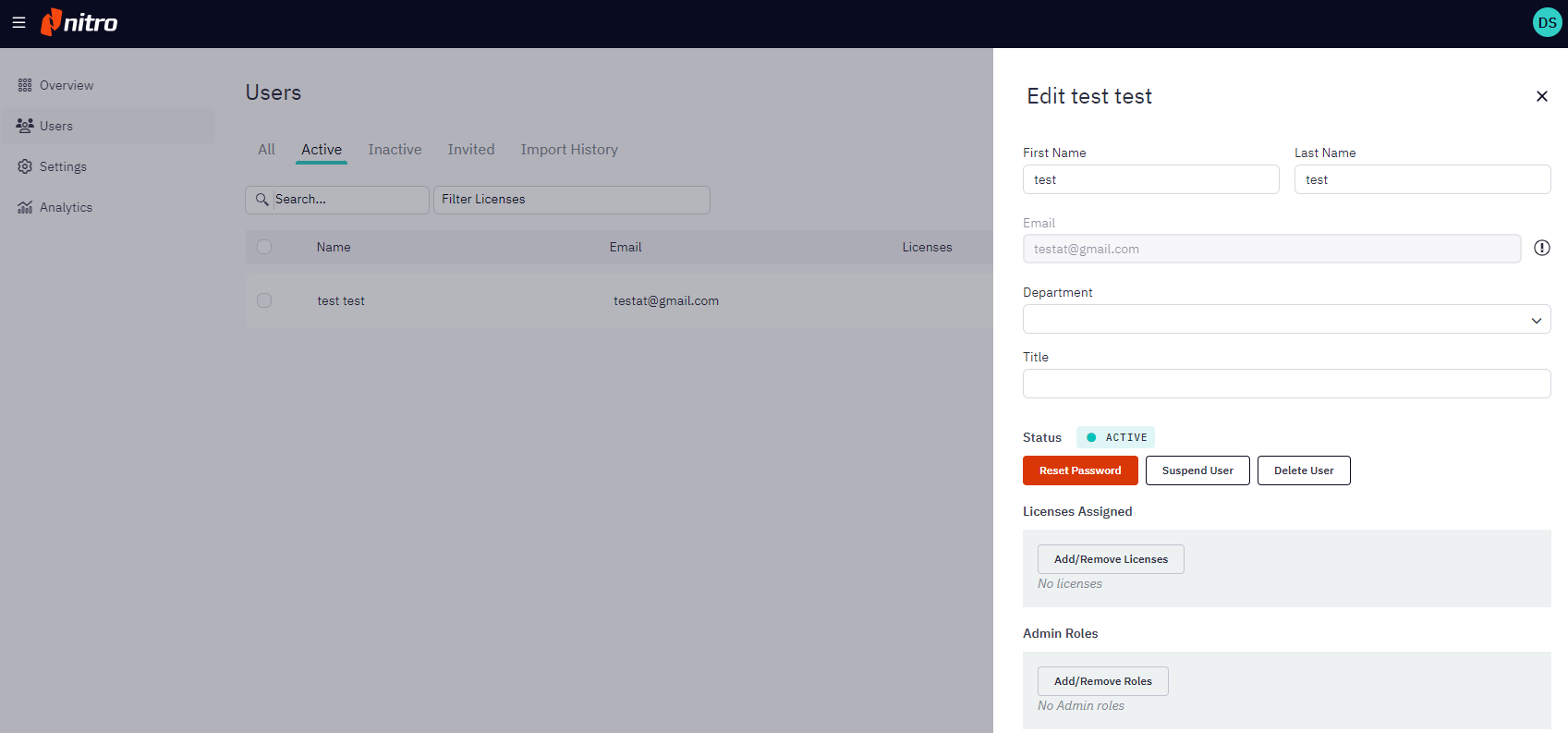
- Click to modify any of the fields in the user's profile, including First and Last Name, Department, Title, Licenses or Admin Roles
- Click Save Changes
Edit a User's Profile
Last updated: July 23, 2025
Was this article helpful?
Thanks for your feedback. We're glad we could help.
Thank you. Your feedback will be used to make future improvements.