
Last updated: June 2026
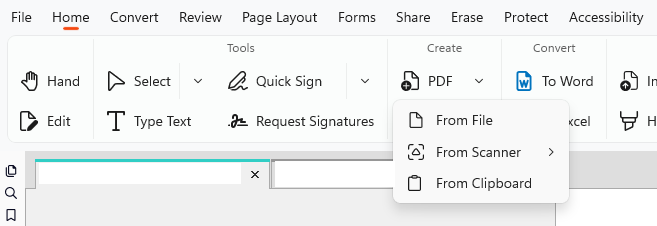
Use the Create PDF from Clipboard tool to create a PDF file from an image in the clipboard. The PDF file uses the same dimensions as the image.
Create a PDF from a clipboard image
- Copy an image to the clipboard
- On the Home tab, click PDF > From Clipboard
Tip: To capture a screenshot, use the Snapshot tool:
- On the Home tab, in the Tools group, click Select
- Click Snapshot
- Capture the required area
- Use Create PDF from Clipboard to create the PDF